
When using satellite imagery from MapSavvy for business, government, or research purposes, it's important to understand that there are multiple satellite imagery layers from which to choose. This guide is a short primer on the various options and how they're typically used.
The Basics
First, the basics: the MapSavvy Web Map Service (WMS) is based on Bing Maps. MapSavvy offers five distinct Bing layers (options) for satellite imagery, and each layer has specific uses:
- Bing Road
- Bing Aerial
- Bing Aerial with Labels
- Bing Original Aerial
- Bing Original Aerial with Labels
We'll briefly cover each of the five options and explain the typical uses for each.
The 5 Layer Options
Option 1: Bing Road
The Road layer shows specific details that include streets, landmarks, and cities. The primary visual information in this layer is all about streets and boundaries between municipalities.
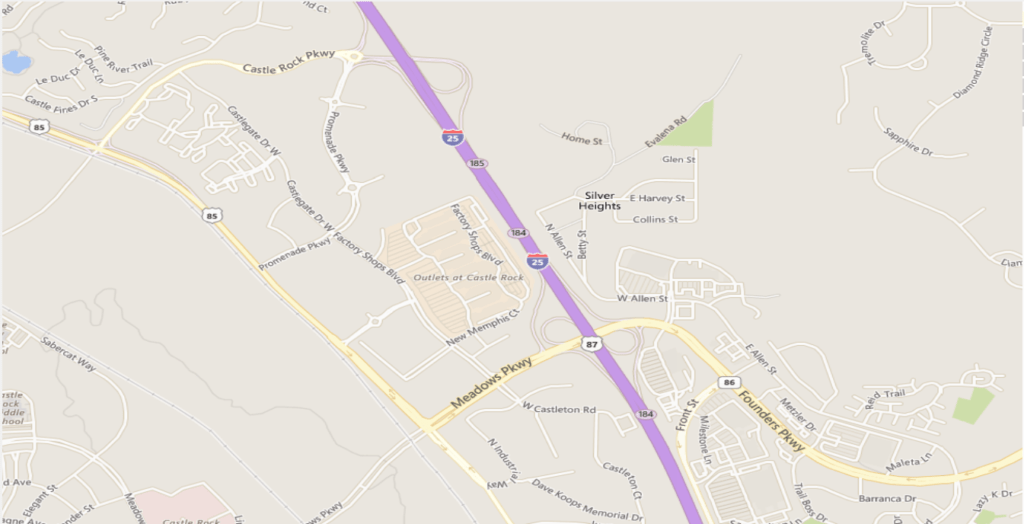
Uses: choose this layer when you need the geographic orientation of seeing specific streets or city boundaries. Applications: architecture and city planning, infrastructure planning, road and traffic planning.
Option 2: Bing Aerial
The Bing Aerial layer shows a straight-down overhead view with no street or city information. This imagery ranges from 30–50 cm in resolution. Because it doesn't show street or city information, it can be harder to know what you're looking at, since the only reference points are the geographic terrain.
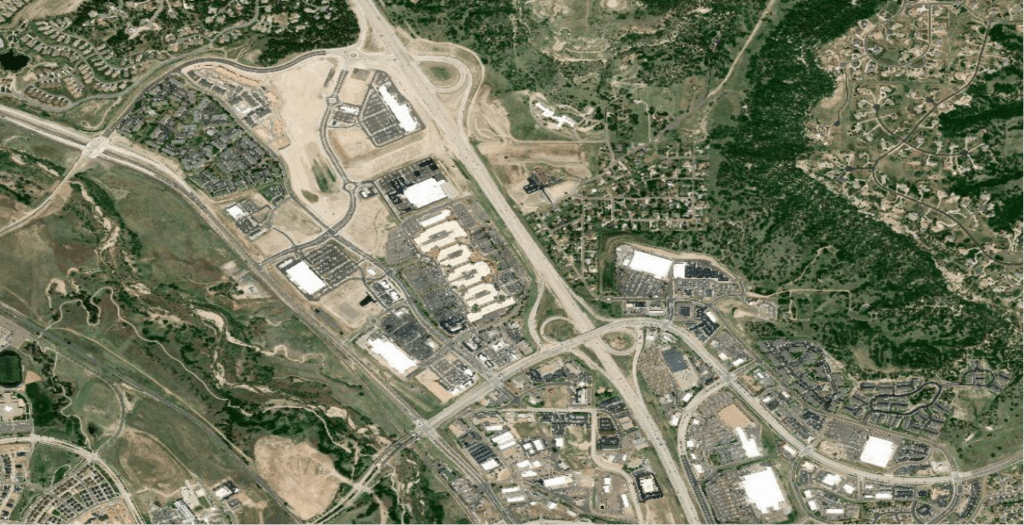
Uses: choose this layer when you need a pure overhead view of terrain. Applications: government research.
Option 3: Bing Aerial with Labels
This "hybrid" layer combines Bing's base aerial imagery with a limited amount of landmark and road data. It makes it easier to get oriented and know what you're viewing in the context of nearby landmarks and major streets.
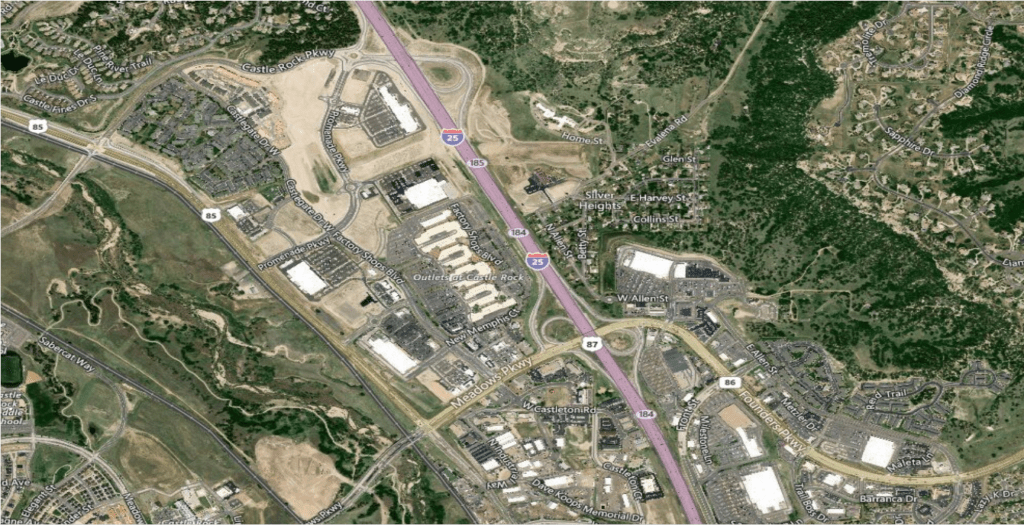
Uses: choose this layer when you need to view terrain in the context of major roads and nearby cities. Applications: wildland firefighting planning, post-storm assessment, development, pipeline planning, infrastructure and transportation planning.
Option 4: Bing Original Aerial
This layer is a true aerial view of the world. To obtain these images, Bing flew aircraft to capture aerial imagery. These "original" images provide a historical view of geographic areas, typically shot at a relatively low altitude but with a higher resolution than the newer imagery.
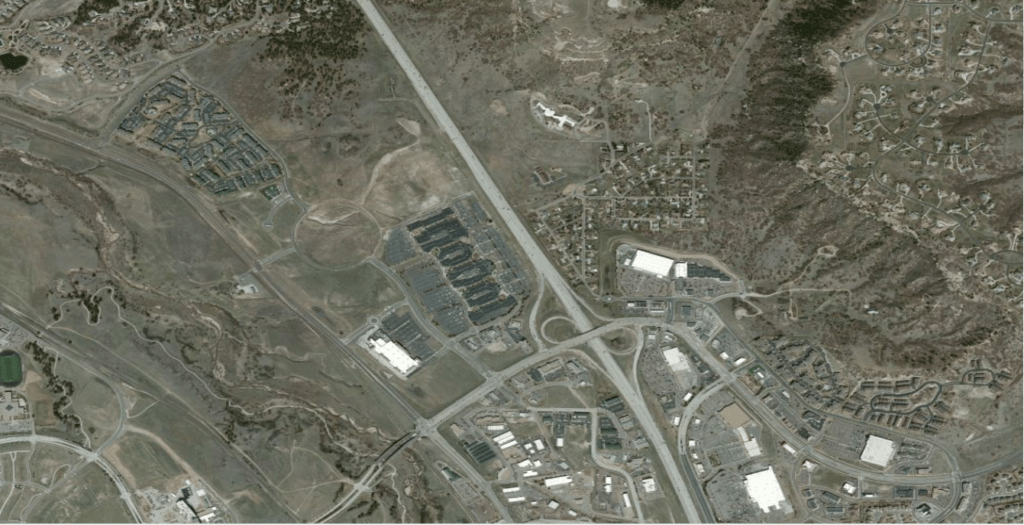
Uses: choose this layer when you want a Before-After view of an area, need low-altitude historical views of terrain (but higher than the 400 feet a drone can fly), or need higher-resolution images. Applications: government research, development, city planning, transportation planning.
Option 5: Bing Original Aerial with Labels
This layer provides the original aerial images coupled with labels that show major streets and cities. It has a higher resolution than the newer imagery Bing released in 2017.
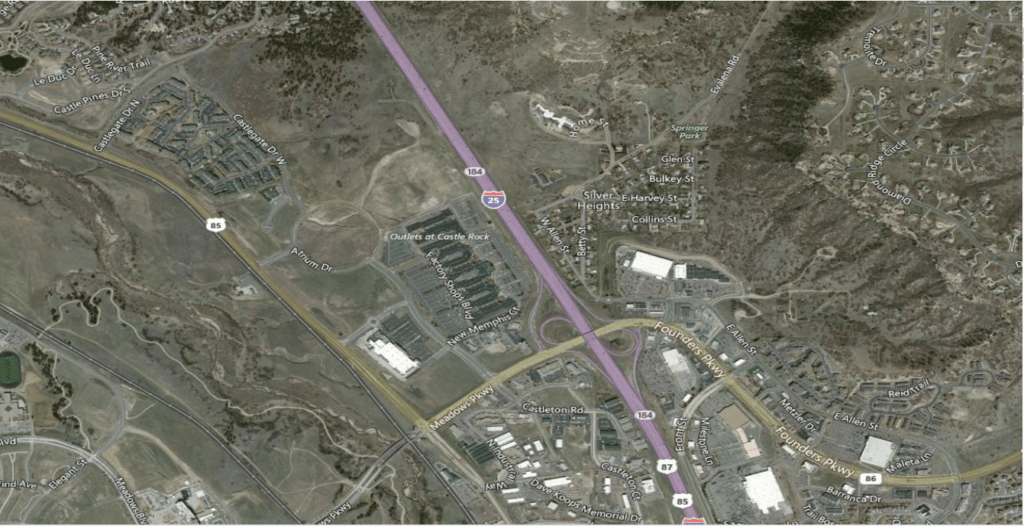
Uses: choose this layer when you need a historical view of an area with the orientation of a limited set of major streets and cities. Applications: government research, post-storm damage assessment.
MapSavvy: Unique in the Market for Its Satellite Imagery Layers
When it comes to finding a web mapping service to meet your needs, MapSavvy is a clear choice for three key reasons:
- Affordability: MapSavvy offers access to multiple satellite imagery layers at a fraction of what other vendors charge — $999 per year for up to 40,000 WMS requests.
- Multiple layers available: some vendors offer straight aerial imagery but no labels and roads for orientation; some provide only historical imagery; some provide only new imagery. MapSavvy provides historical imagery, updated imagery, and both straight and labeled satellite/aerial imagery.
- Visual quality: imagery from some well-known vendors is over-exposed and hard to see detail in. The Bing team processed its imagery for deep, clear color saturation so you can see more detail.
Interested in learning more about MapSavvy and giving it a test drive? Try our free 14-day trial.